Photos and files
Upload spreadsheets, documents and photos of paper sign-up sheets. Evidently reads a photo the way you would: names, date, what happened.
Upload a file
An example
Sunday class sign up sheet.png
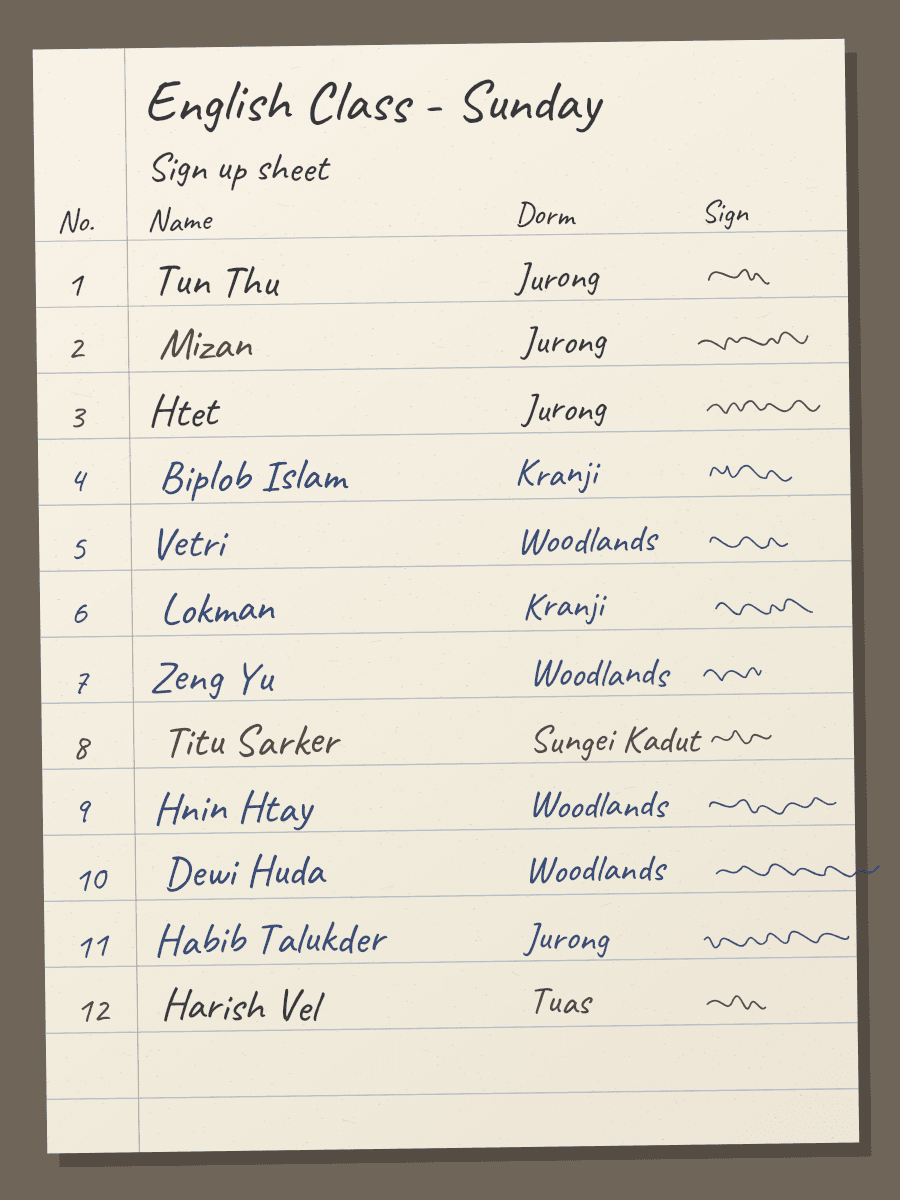
Uploaded Mon 9 Nov, 09:30
Read: 12 names1. What it reads
A photo or scan of a paper sheet, read line by line.
2. What it takes
Line 3 of 12
3. Htet
3. The record it makes
- Type
- Attendance
- Date
- 8 Nov 2026
- Programme
- English Classes
- Person
- H.
- Status
- Awaiting review. This record is not counted yet.
- Reads
- JPG, PNG and HEIC photos and scanned PDFs, uploaded or found in a source Evidently reads.
- Leaves out
- Nothing is guessed. A name too hard to read waits for you in Review. Where and when the photo was taken is removed.
- How often
- When the photo arrives.
- You need
- A clear photo of the whole sheet, taken from above.
- When things change
- Uploading the same photo again adds nothing.
donations-export.csv
182 rows in the file
| B | E | |
|---|---|---|
| 1 | Date |
Upload it, step by step
In Sources, pick Upload files, or Upload on a phone.
Add files: drop them, choose them, or take a photo.
For a spreadsheet, check what each column holds, with Evidently's suggestion and why. Save the layout if the same export will come again.
Press Read. On a phone, Take another photo reads the next sheet.
Where you'll see it
- Sources lists the upload as a source. Upload a newer version adds only what is new.
- The evidence behind a number shows the row, the cell taken, or the photo.
- Review holds photos that couldn't be read clearly, and lines Evidently wasn't sure about.
If something goes wrong
| What you see | What to do |
|---|---|
| “We couldn't find names or dates on this photo.” | Take it again from above, with the whole sheet in the frame and good light. |
| “We couldn't read this file. It might be password-protected.” | Save a copy without a password, then upload that. |
| “We can't read this kind of file yet.” | Save it as a PDF, a photo or a spreadsheet. |
| “We couldn't find a table in this file.” |